TIMELINE: 3 Weeks (Fall 2025)
TOOLS: Figma, FigJam, Miro
ROLE: UX Designer
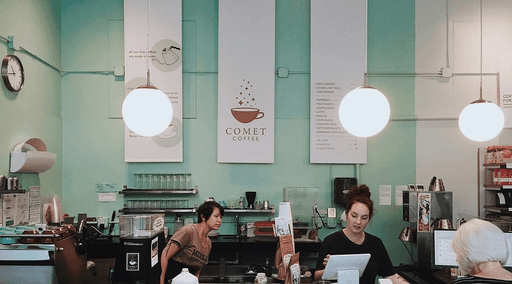
For this project, I redesigned the website for my favorite local coffee shop in Ann Arbor. Comet Coffee is a hidden gem located in Nickels Arcade, known for its cozy atmosphere, quality coffee, and affordable prices.
GOAL
Redesign Comet Coffee’s website to reflect the café’s artisanal charm while improving usability, accessibility, and storytelling for both new and returning customers.
PROBLEM FRAMING
Comet Coffee's current website does not effectively communicate the brand’s unique identity or meet the needs of its customer base. New visitors struggle to find essential information such as the menu, hours, and location, while returning customers have no easy way to explore seasonal offerings or purchase coffee and merchandise online.
Because the café has limited space and minimal marketing, an effective website is critical for sustaining engagement and growth.
HOW MIGHT WE'S
How might we make it easier for new visitors to find essential information like the menu, hours, and location?
How might we translate the café’s cozy, artisanal atmosphere into a digital experience?
How might we help returning customers easily explore seasonal offerings and merchandise?
RESEARCH & DISCOVERY
To ground the redesign in real needs, I conducted in-person observations, customer interviews, and a competitor review, revealing:
Missing or buried information (menu, hours, merchandise).
Inconsistent visual hierarchy and poor contrast.
Limited accessibility and unclear calls to action.
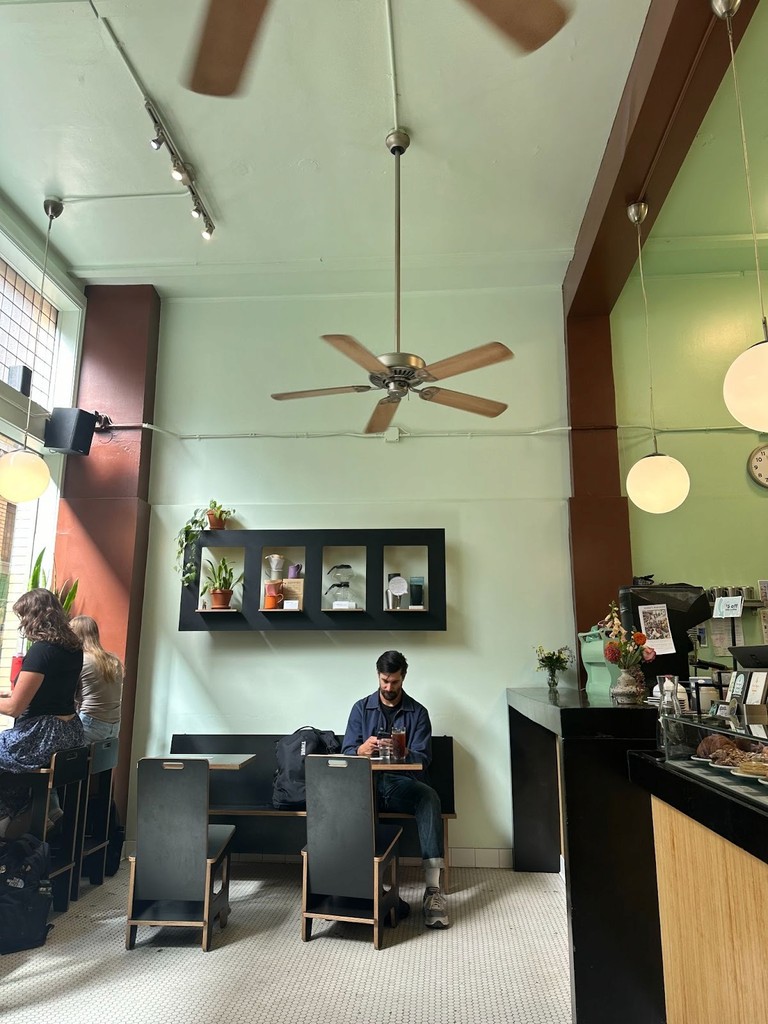
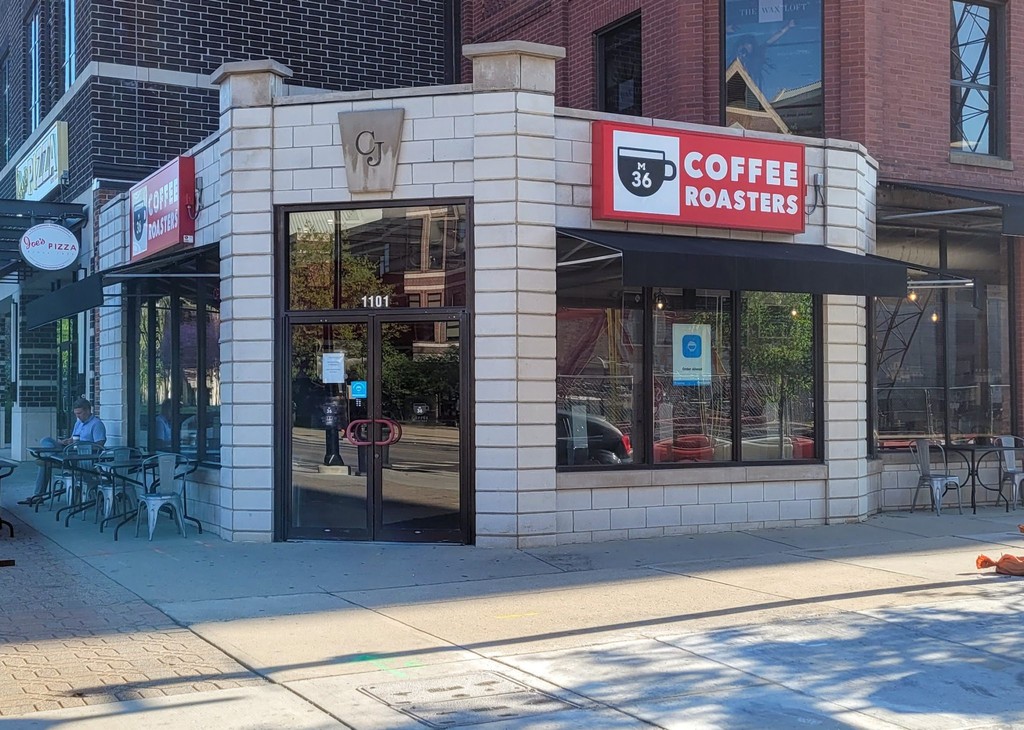
Looked at 1-2 other businesses that have similar offerings. Compared how they tried to attract customers (e.g., sales, promotions, slogans, store layout.)
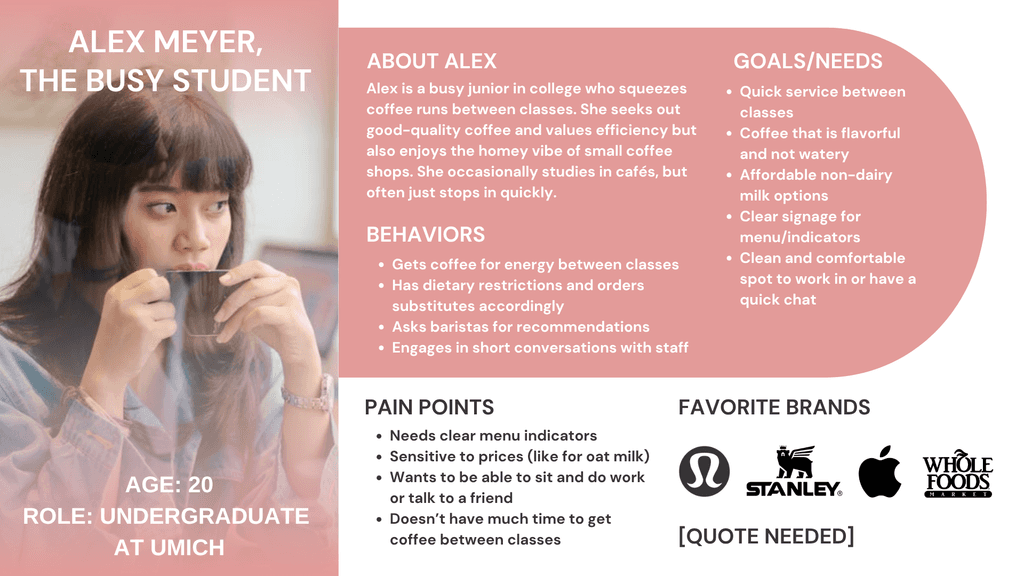
User Persona
Created a profile of a representative user segment, including goals, pain points, and key context.
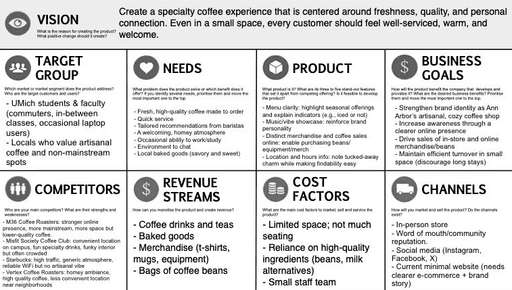
Product Vision Board
Created a product vision board to map out Comet Coffee's user, product, and business landscape.
This phase was crucial for turning initial research insights into tangible solutions. Through rapid sketching, Crazy 8s, and early wireframes, I explored multiple ways to improve navigation clarity, brand storytelling, and usability. These iterations allowed me to quickly test structure and hierarchy before committing to high-fidelity designs, ensuring that every design decision was grounded in user needs rather than aesthetics alone.


To ensure consistency across breakpoints, I created a foundational design system in Figma with standardized color styles, text tokens, and reusable components.
Buttons, inputs, navigation bars, and other UI elements were built with variants to adapt seamlessly across desktop, tablet, and mobile layouts.
This system improved visual cohesion, streamlined iteration, and allowed for quick updates across screens which enabled a more scalable and responsive design workflow.


I used early research insights to create a low-fidelity wireframe to visualize information hierarchy and navigation flow before refining visuals.
This wireframe served as a launch pad for usability testing, allowing me to validate layout decisions early and identify friction points in the gift-card flow before moving into high-fidelity design.

USABILITY TESTING
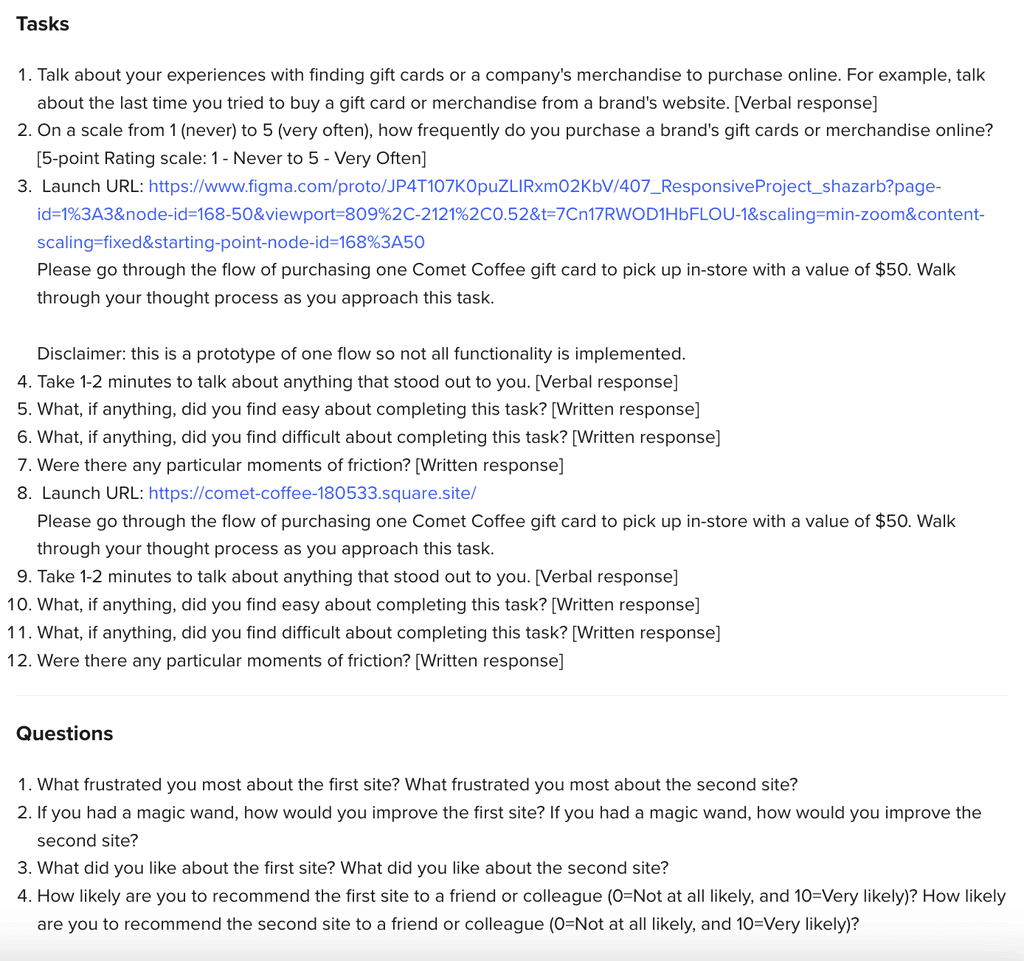
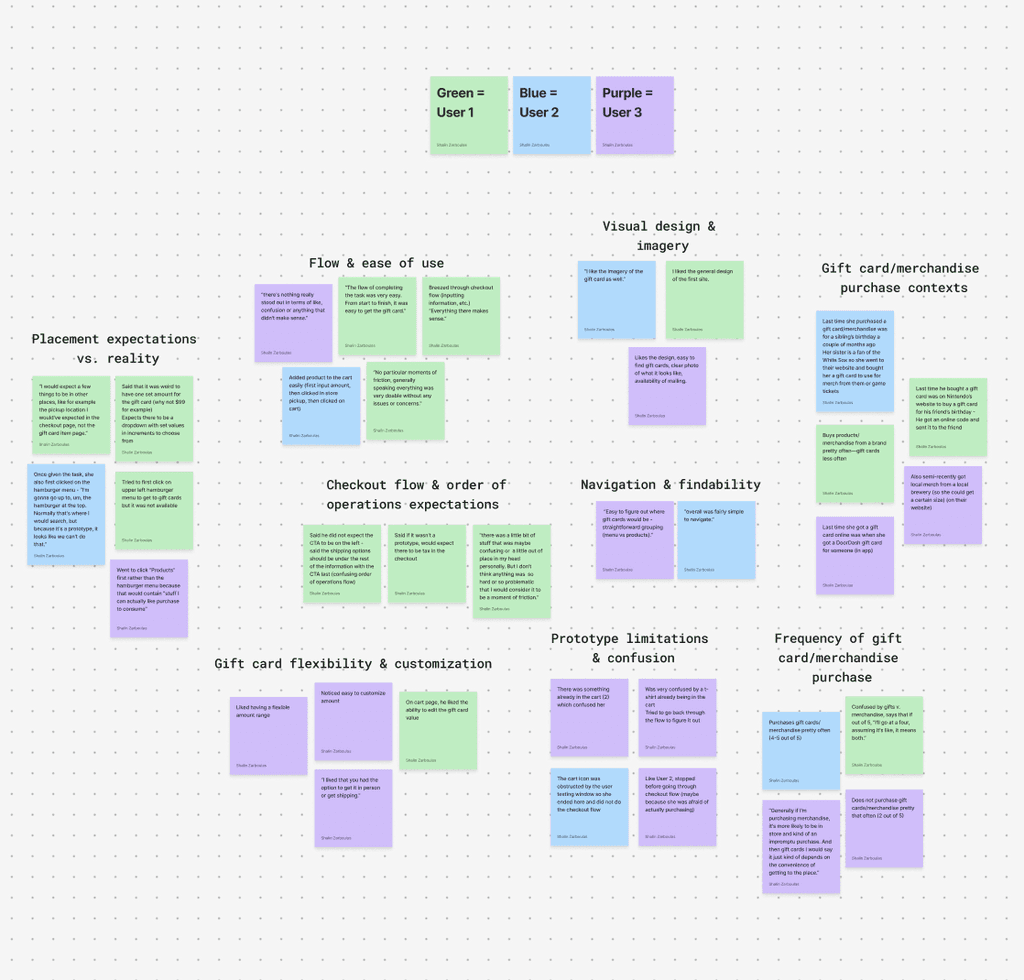
To validate my prototype and uncover friction points in the gift-card purchase flow, I conducted three moderated usability tests with participants representing new and returning customers. Each session lasted about 5-15 minutes and was conducted remotely.
Key User Quote: "If I'm purchasing gift cards, I would say it depends on the convenience."
KEY FINDINGS:
Strengths
The checkout flow was smooth and intuitive once users located the product: “Everything there makes sense.”
Users appreciated the ability to edit gift-card values in the cart and the clarity of the pickup vs. shipping options.
Visual design and imagery were described as “simple” and “inviting.”
Weaknesses
Navigation & Findability: Two of three participants initially searched the hamburger menu to find gift cards, suggesting weak product discoverability.
Gift-Card Options: Users expected preset increments ($25, $50, $100) in addition to a custom amount.
Checkout Sequence: Pickup and shipping details appeared too early in the flow; users expected to see these after adding an item to the cart.
FINAL RESPONSIVE DESIGNS
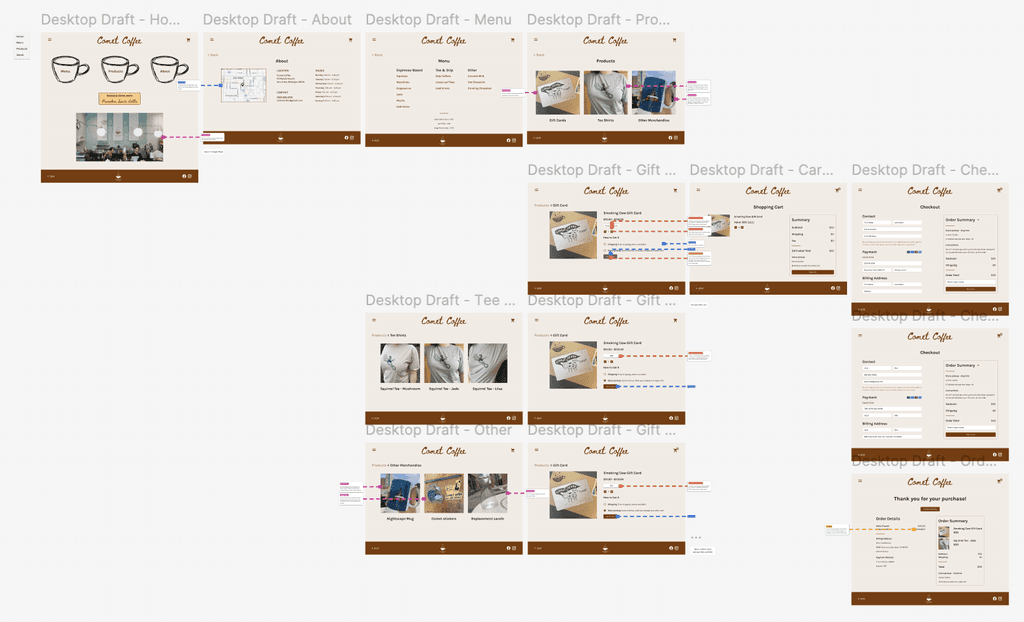
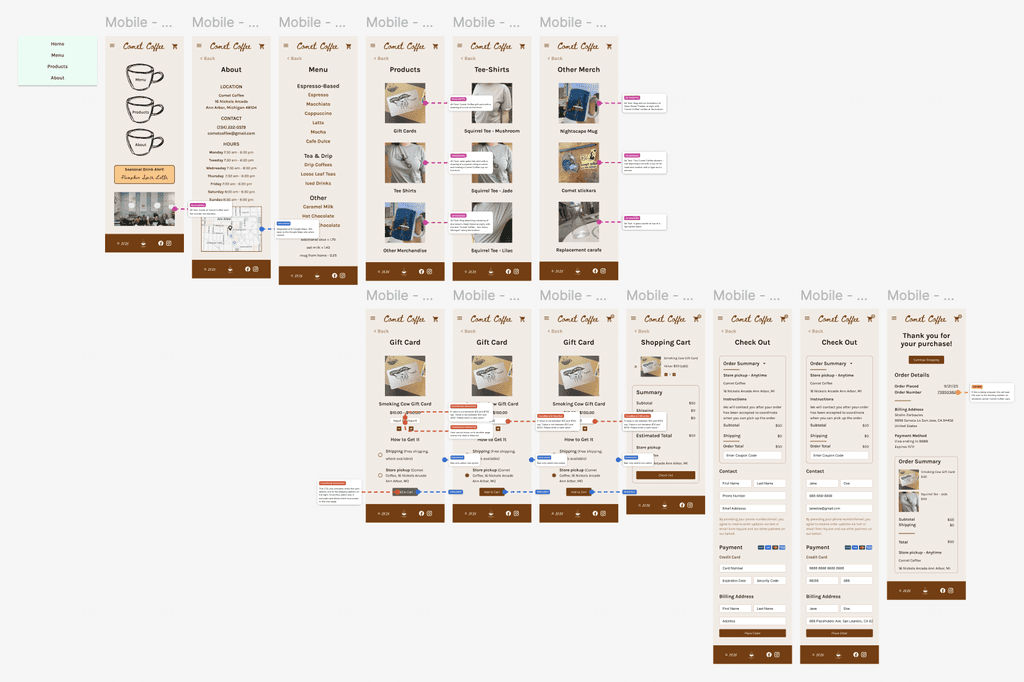
KEY IMPROVEMENTS
Introduced a hamburger menu pop-up to improve navigation after testers struggled to locate gift cards.
Reordered the product detail flow, placing shipping options before the main CTA to match expected checkout behavior.
Made “Add to Cart” conditional on selecting a shipping method to ensure task completion accuracy.
Added “Back” navigation to product listings for easier browsing between categories.
Improved color contrast on pages to meet WCAG accessibility standards.
Refined overall aesthetic to better reflect the café’s in-store warmth; used neutral tones and organic textures/shapes consistent with Comet Coffee’s physical atmosphere.
Feedback: Hover states and confirmation messages in checkout.
Constraints: Limited options per step to reduce cognitive load.
Affordances: Clear CTAs with strong hierarchy and contrast.
Responsive Layout: Grid breakpoints.
Accessibility: WCAG-compliant colors, alt text, semantic hierarchy.
This project challenged me to balance aesthetic authenticity with usability and accessibility.
Working with a live brand taught me how to make design decisions that respect identity while improving clarity and flow for users.
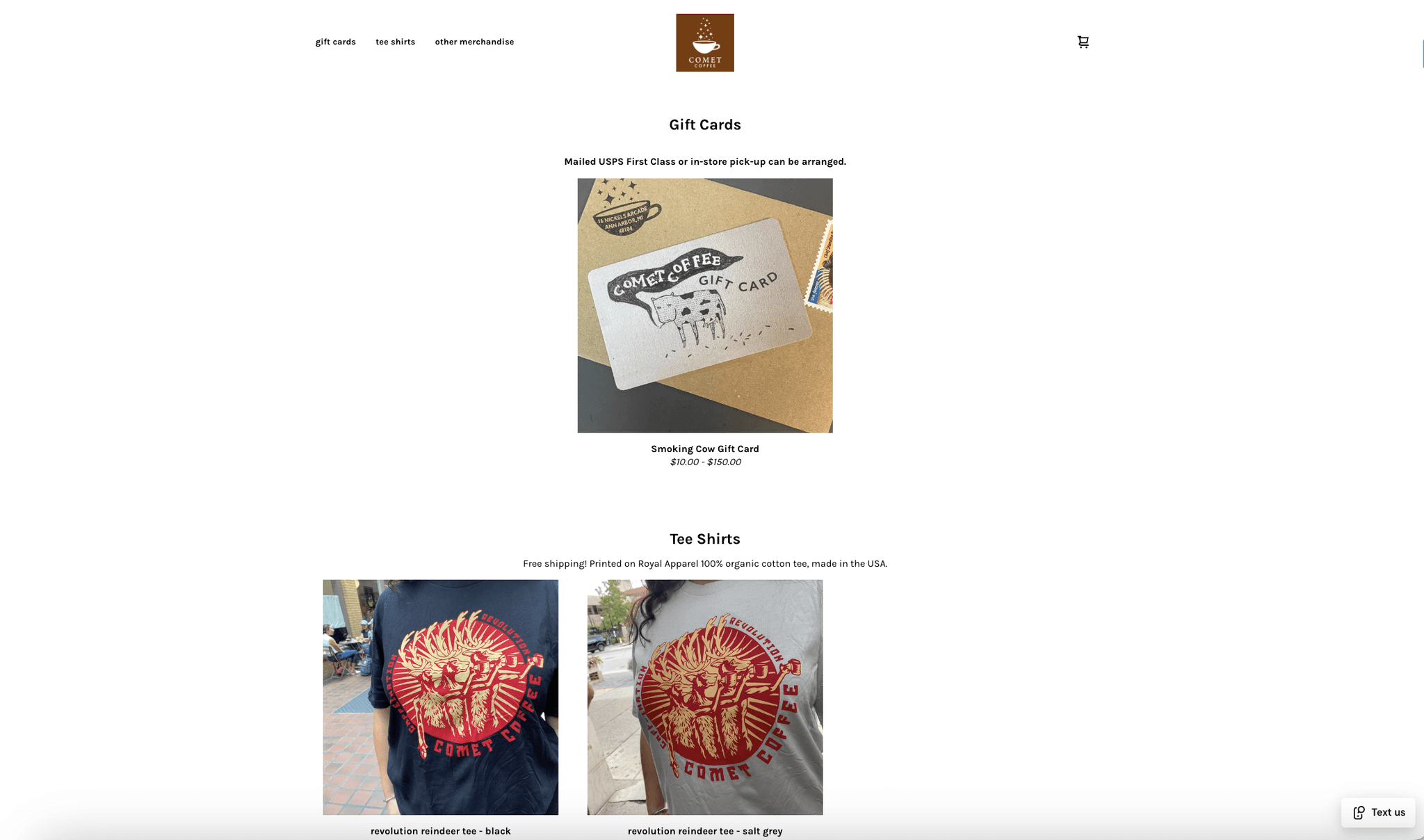
Before vs. After Highlight: Homepage
Reduced white space, added more stylized icons and fonts, made navigation to key pages much clearer, and highlighted seasonal offerings.

IMPACT
Usability: After revisions, testers were able to locate and purchase a gift card without assistance or hiccups.
Accessibility: Added alt text, improved color contrast, and clarified hierarchy to ensure WCAG compliance.
Brand Cohesion: The final interface is more inviting and consistent with Comet’s physical space.
KEY TAKEAWAYS
Design systems matter: Establishing text tokens and color styles early streamlined later iterations.
User testing is invaluable: Even small friction points (like cart visibility) significantly shape the final flow.
Accessibility isn’t an afterthought: Embedding inclusive design principles improved both usability and trust.
Unlike most academic projects, this redesign focused on an existing local brand with a strong in-person identity. I had to balance preserving the café’s character with modern UX and accessibility standards across devices.
If given more time, I would expand the prototype to include more product categories and a full checkout experience, and conduct a longitudinal test to evaluate whether the redesign sustains engagement over time.